Dashboard: Live Tracking – Web
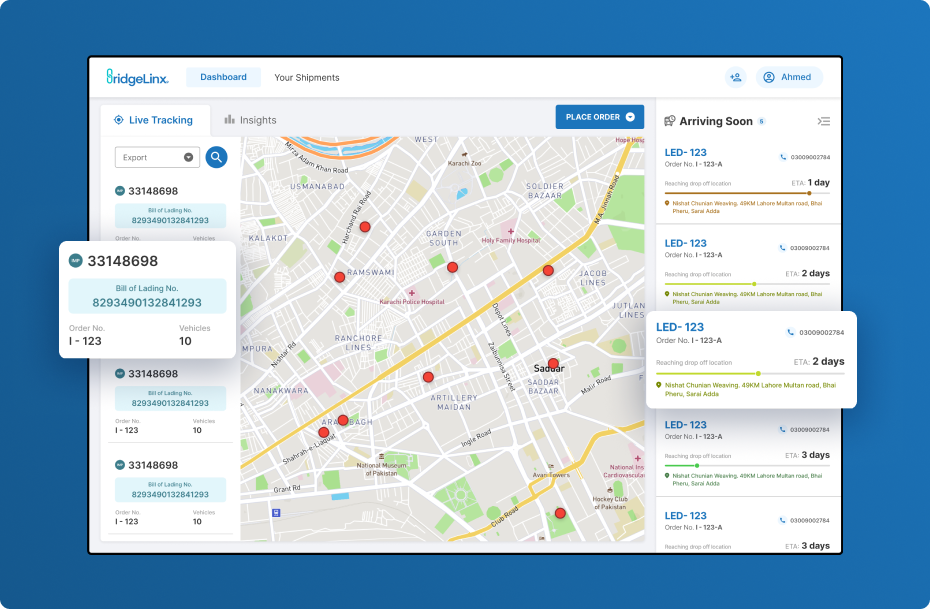
Live Tracking: Shows all active orders with import/export icons, assigned vehicles, and quick search by Order ID or Bill of Lading for efficient tracking.
Arriving Soon: Highlights urgent or incoming orders with vehicle details, ETA, and live location. Can collapse to a full-screen map for better visibility.
Order Placement: A single, clear CTA directing users to create new orders instantly.
Dashboard: Insights – Web
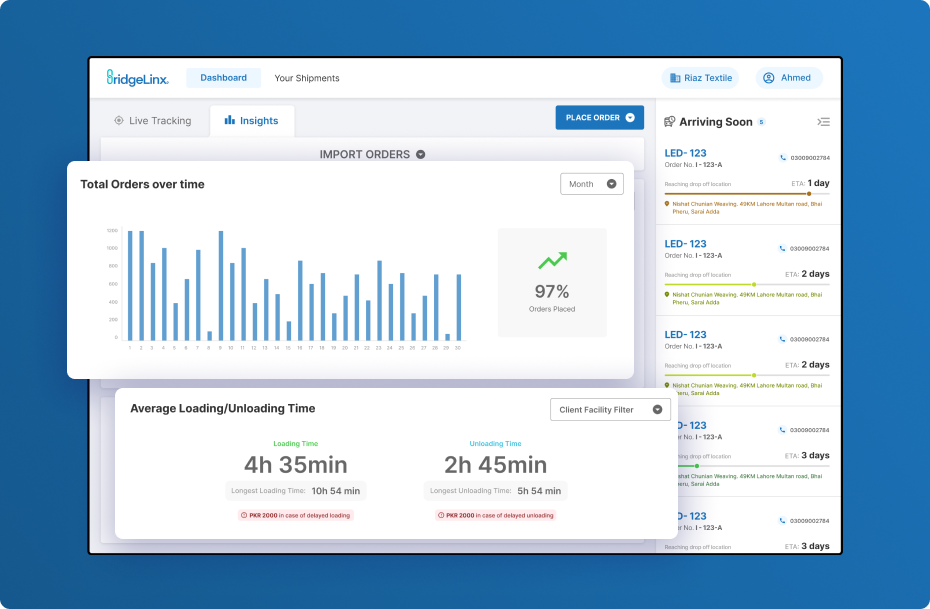
Designed to help users monitor performance through key metrics filtered by local, import, or export orders.
- Total Orders Over Time: Enables trend analysis by comparing completed orders and percentages over selected periods.
- Average Loading/Unloading Time: Highlights time efficiency and cost impact, with filters by facility for deeper analysis.
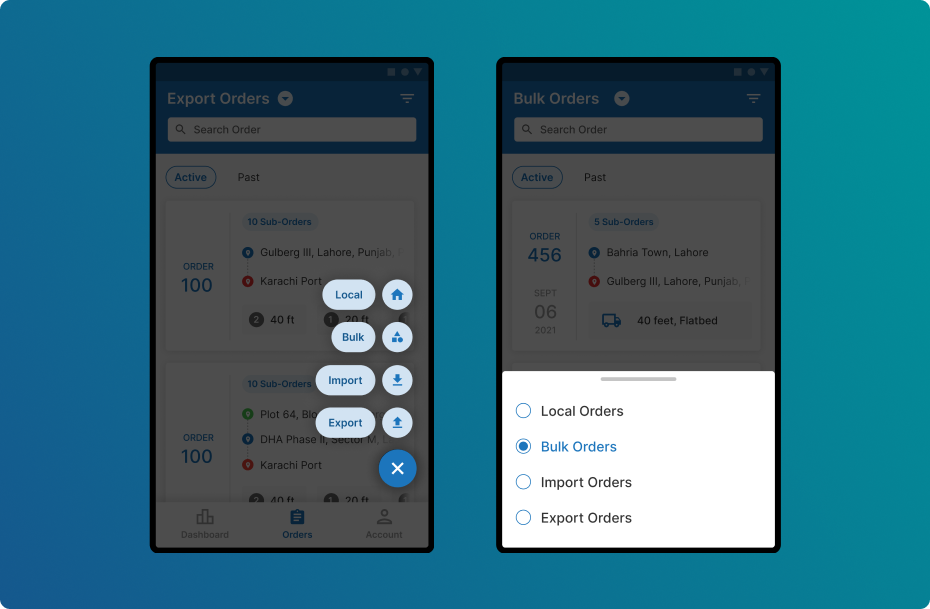
Order Listing – Mobile
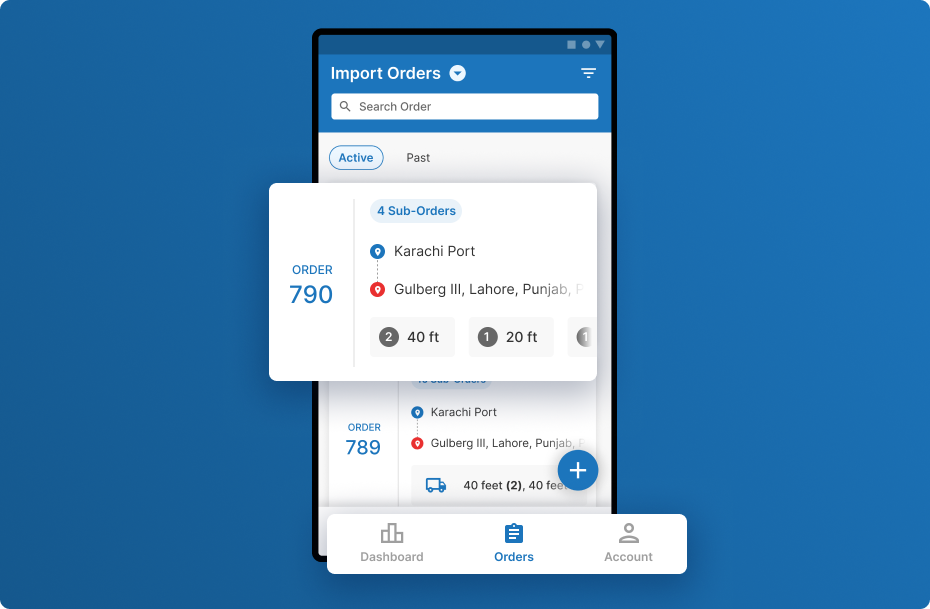
Active & Past Orders: Users can easily switch between current and completed orders for quick reference.
Order Detail Card: Mobile cards display essential details, order ID, locations, and assigned vehicles, prioritizing clarity and at-a-glance access.
Navigation: A simplified navigation bar features only core screens: Dashboard, Orders, and Account.
Order Creation: The floating “+” button enables order creation in just two taps, revealing four types: local, bulk, import, and export, for a streamlined experience.
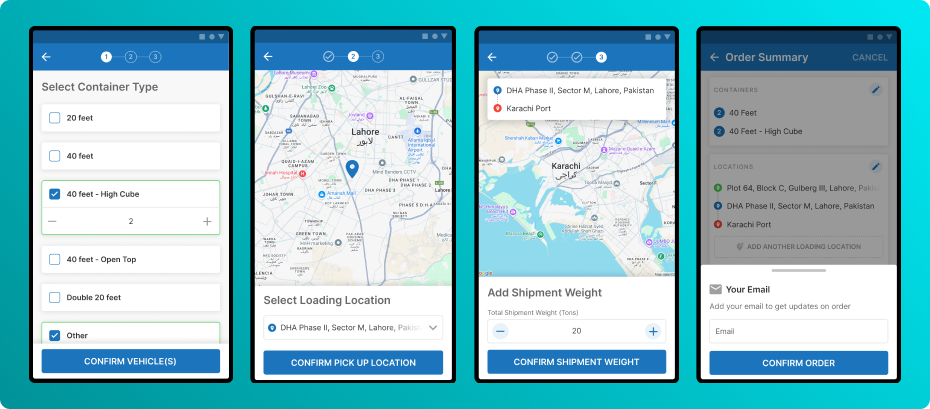
Order Placement – Mobile
To streamline order placement, the familiar paper-based process was replicated for a smooth digital transition. The order placement had minimized clicks to ensure a faster, more intuitive experience, while complex tasks were directed to the web app.